WASHINGTON STATE JOB AID
In connection with WAC 284-30-380(8) of the Washington State Office of the Insurance Commissioner (OIC) relating to the subject of pricing information, Cotality will post the latest Washington State Construction Cost Information on the Cotality Support Site. Beginning with estimates created using the September 2026 pricing database, users can access the site directly from Claims Workspace™ or Estimate™ and download the document that corresponds to the pricing database used to create the estimate.
Workspace™
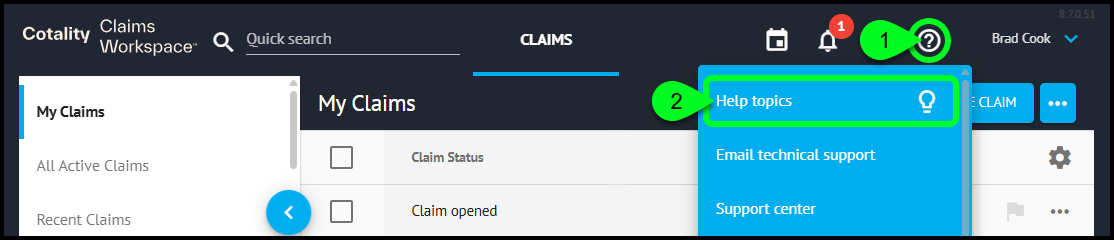
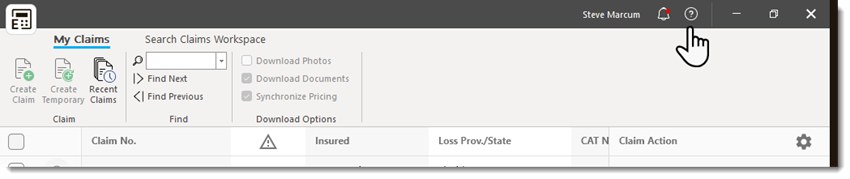
Step 1. From Claims Workspace, select  in the upper-right corner.
Step 2. From the Help Menu, select Help Topics.
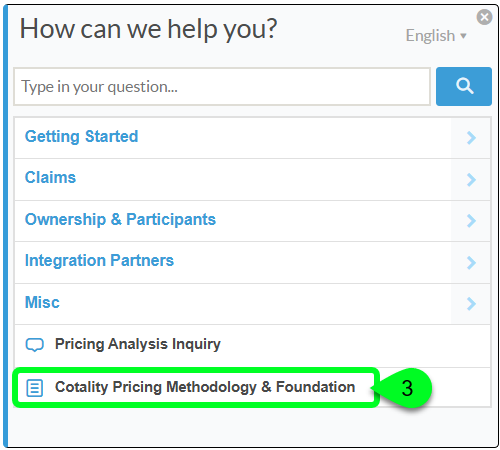
Step 3. In the pop-up window, select Cotality Pricing Methodology & Foundation.
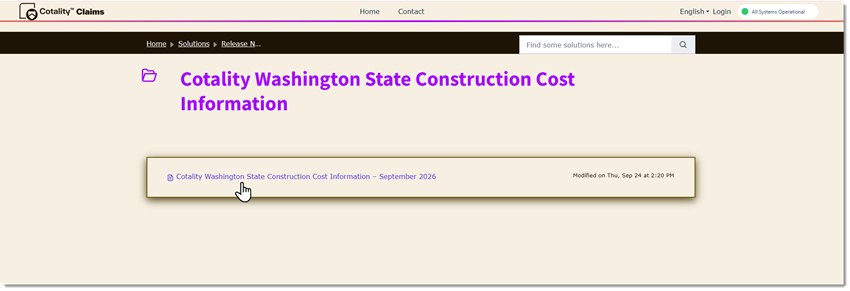
Step 4. The Cotality Support Site will open to the library of available Washington State Construction Cost Information documents, organized by month.
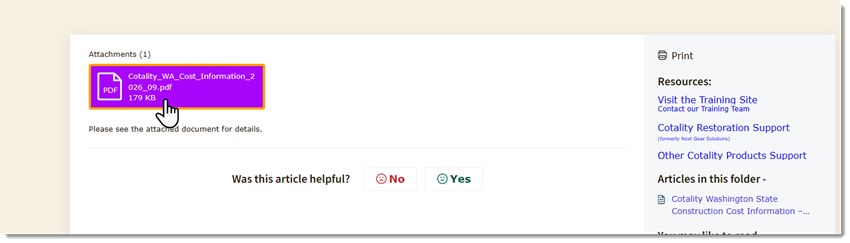
Step 5. Select the month that corresponds to the pricing database used to create the estimate. The document will open automatically, and the user can save or send the document as needed.
Estimate™
Step 1. From Estimate, select  .
.
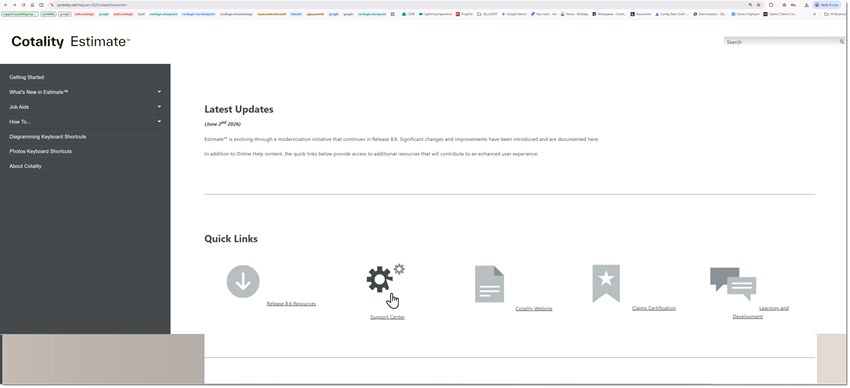
Step 2. A browser window will open to Cotality Estimate Online Help. Scroll to Quick Links and select the Support Center icon. The Cotality Support Site will open.
Step 3. In the search box at the upper-right corner of the Support Site, enter Washington. The search results will display the library of available Washington State Construction Cost Information documents, organized by month.

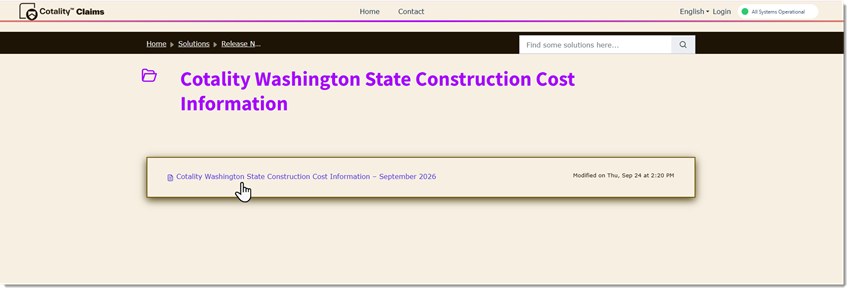
Step 4. Select the month that corresponds to the pricing database used to create the estimate. The article page will open and the user can save or send the document as needed.
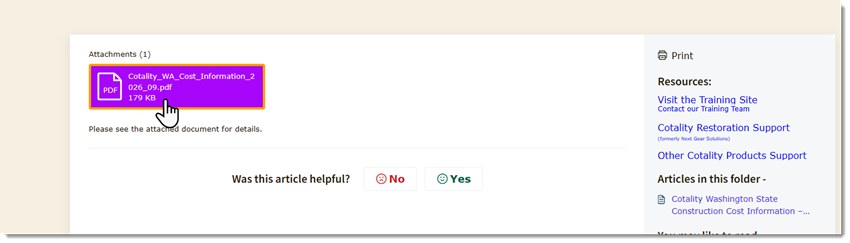
Important: Select the document month that matches the pricing database used to create the estimate.
Was this article helpful?
That’s Great!
Thank you for your feedback
Sorry! We couldn't be helpful
Thank you for your feedback
Feedback sent
We appreciate your effort and will try to fix the article